A home for every project
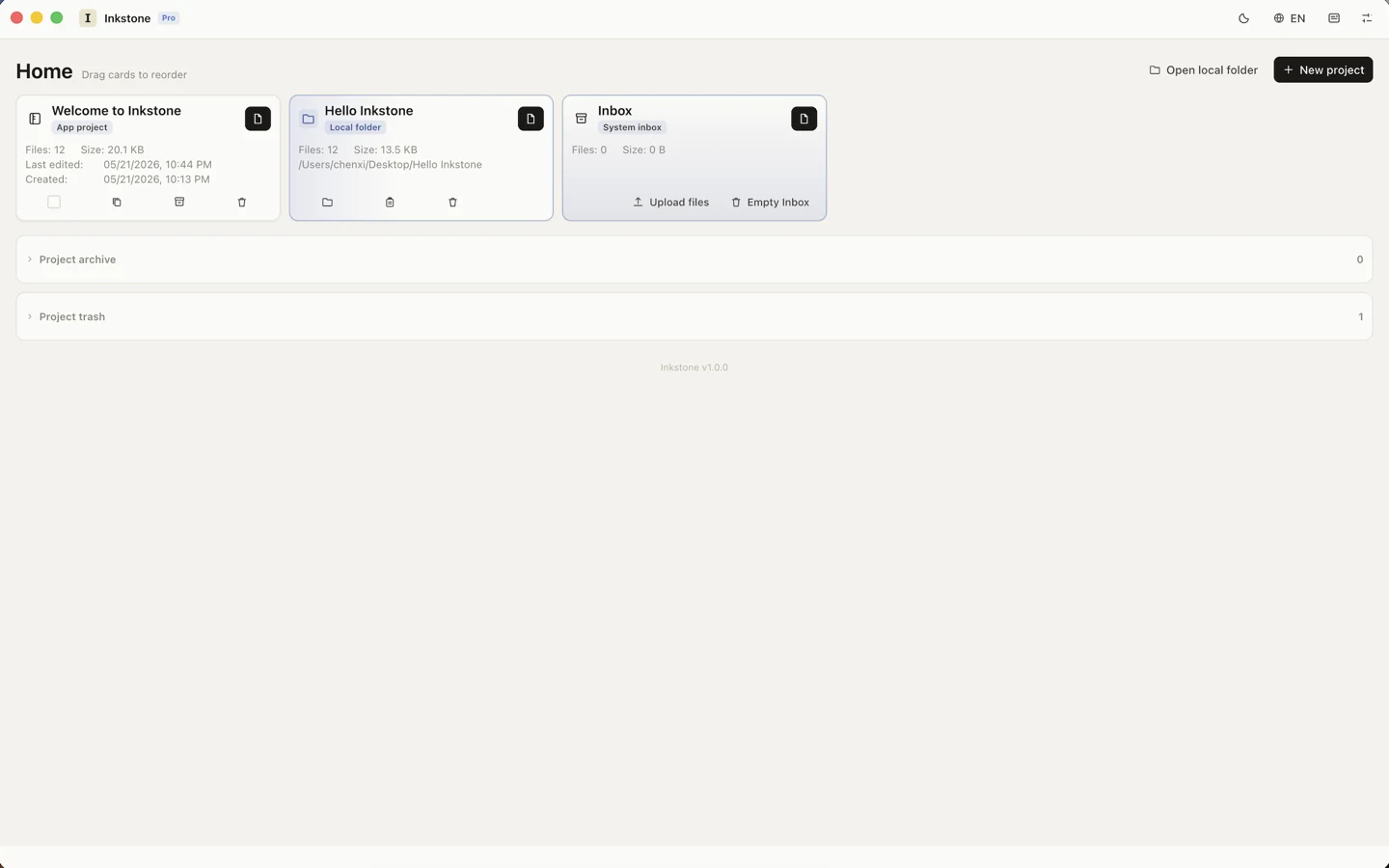
Group notes, drafts, files, and references into project cards. Open any local folder as a writing workspace — Inkstone reads and writes plain Markdown files in place, protected by macOS sandbox permissions.
 Inkstone
A quiet macOS writing workspace for Markdown projects, references, live preview, beautiful templates, and polished exports. Your documents stay local. Available now as a direct license from Inkstone or an Apple-managed Mac App Store subscription.
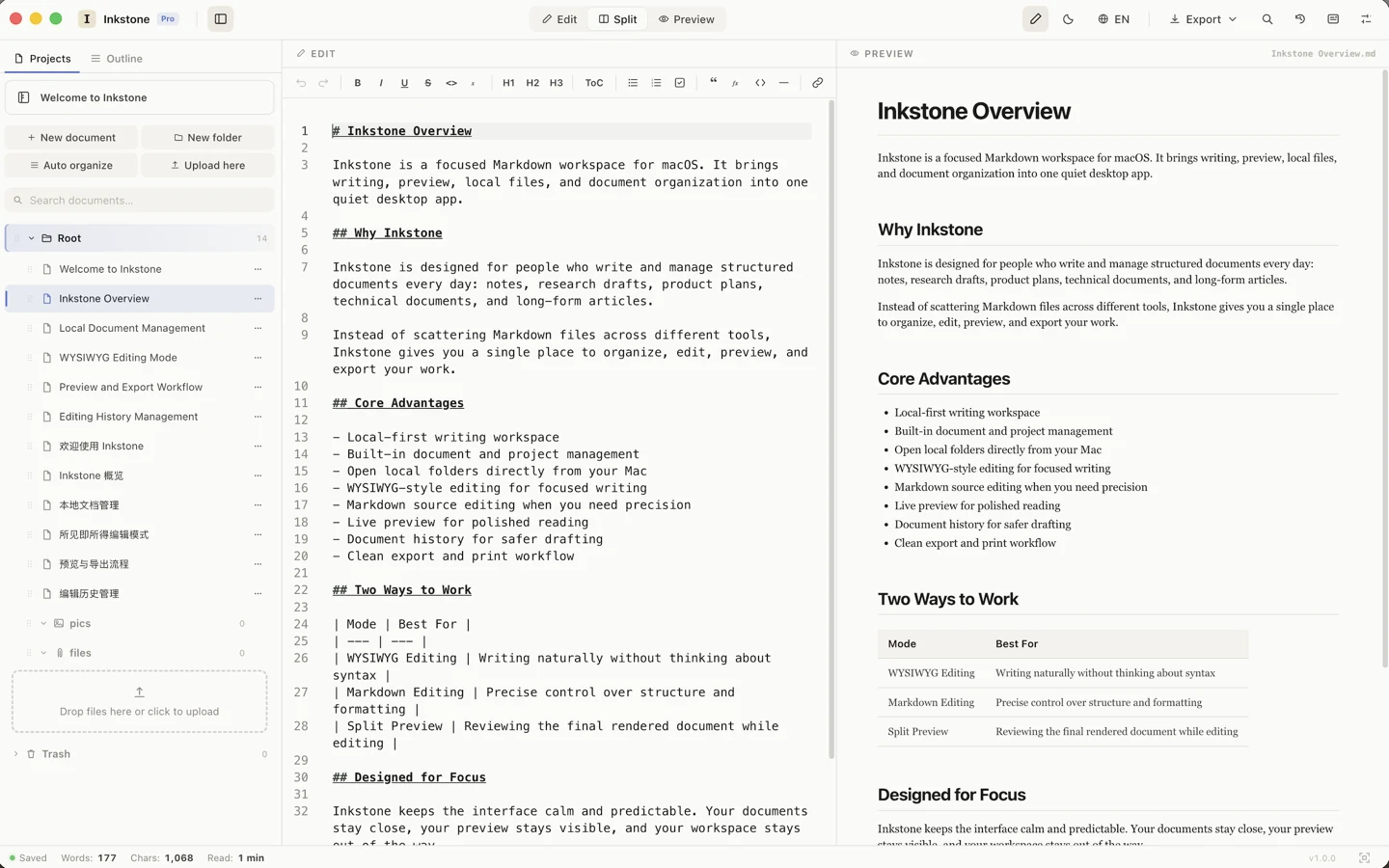
Inkstone keeps the interface compact and predictable: projects, documents, live preview, history, exports, and offline access.
Group notes, drafts, files, and references into project cards. Open any local folder as a writing workspace — Inkstone reads and writes plain Markdown files in place, protected by macOS sandbox permissions.
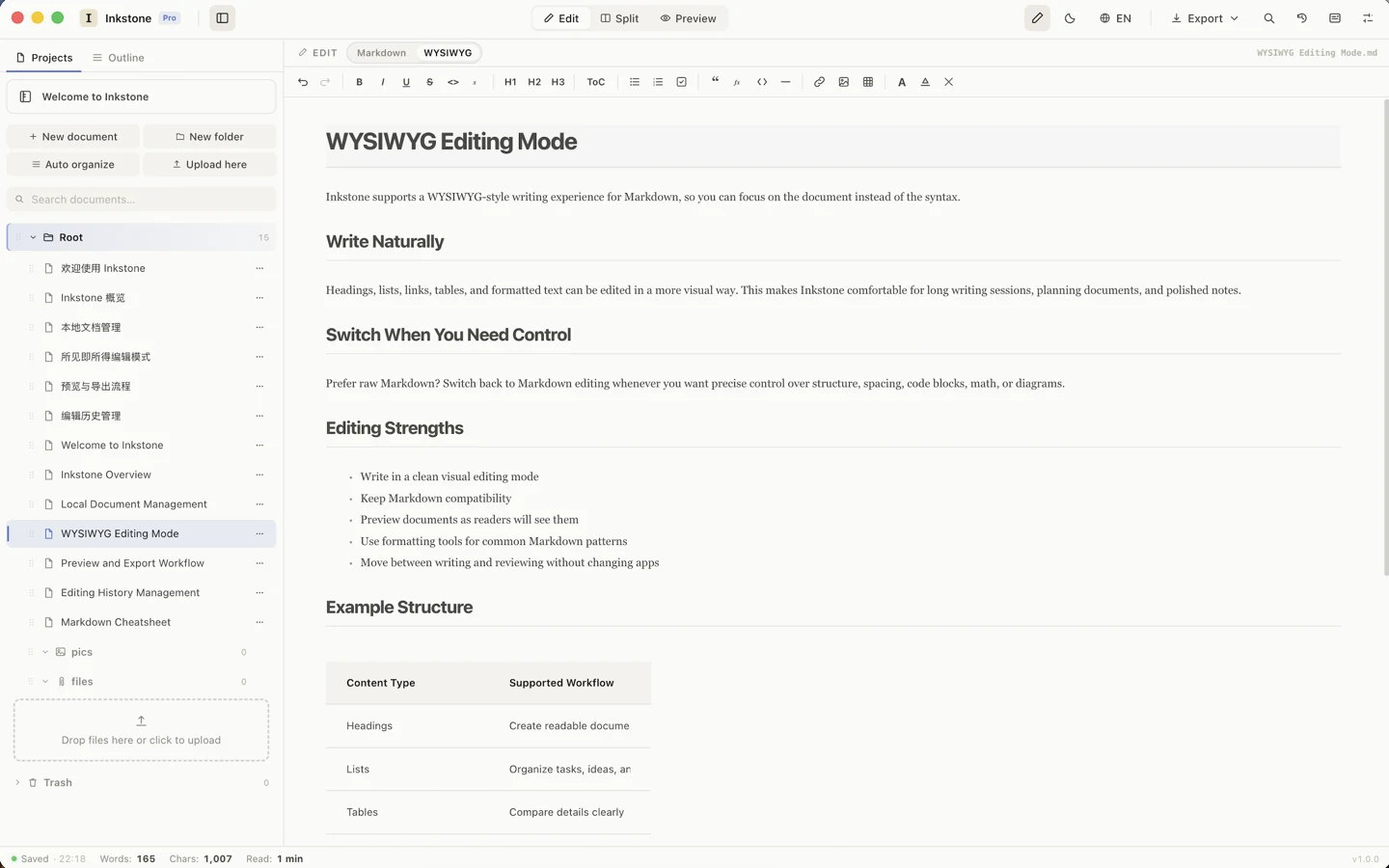
Switch between raw Markdown, split view, and a WYSIWYG editing mode where headings, lists, tables, and formatting are edited in place — without giving up plain-text compatibility.
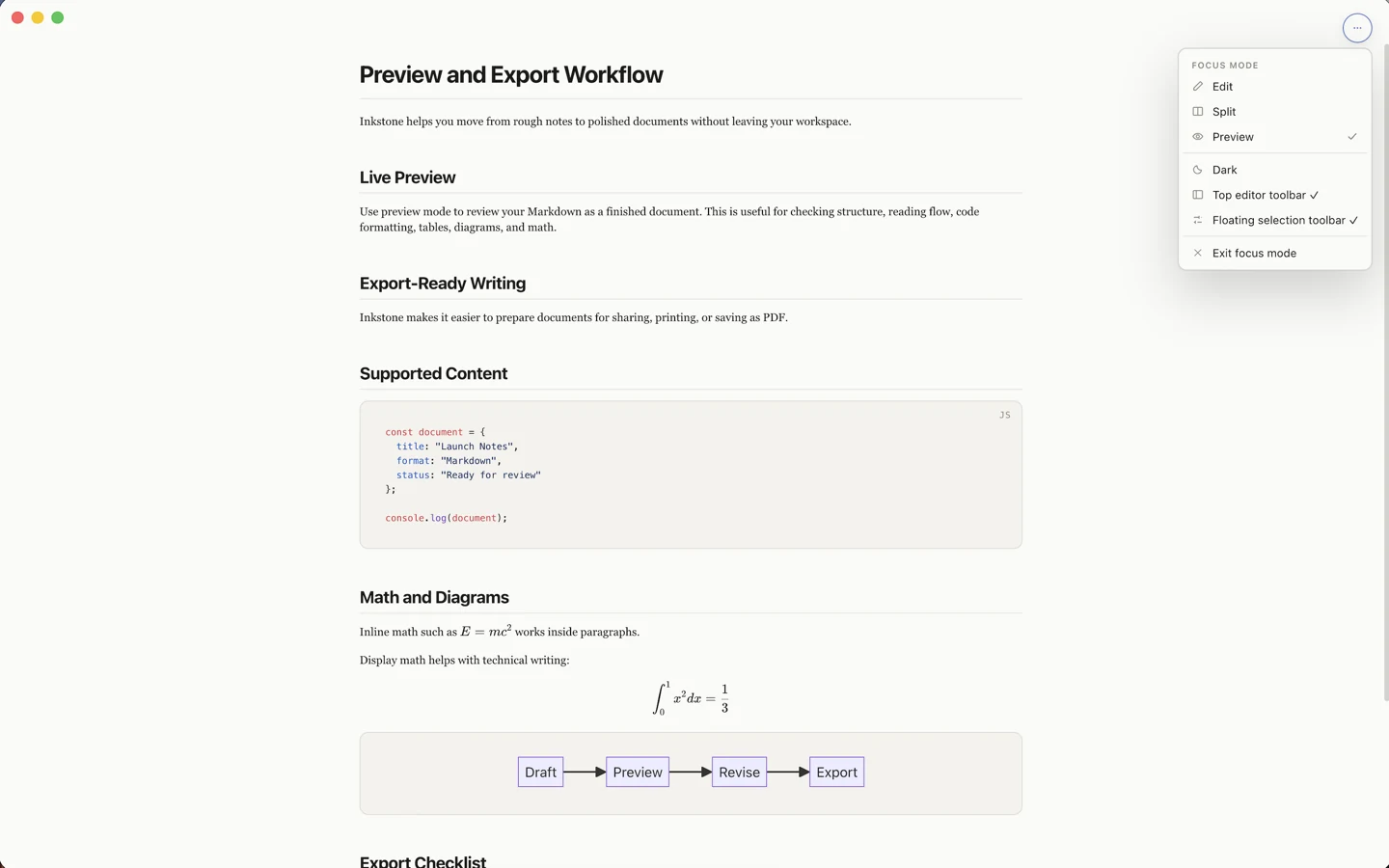
Code blocks with syntax highlighting, KaTeX math, Mermaid diagrams, and GFM tables render in live preview. A distraction-free focus mode and polished exports take a draft to a finished document.
Inkstone records document history next to your workspace. Compare earlier versions, recover deleted ideas, and restore any snapshot — no account, no cloud required.

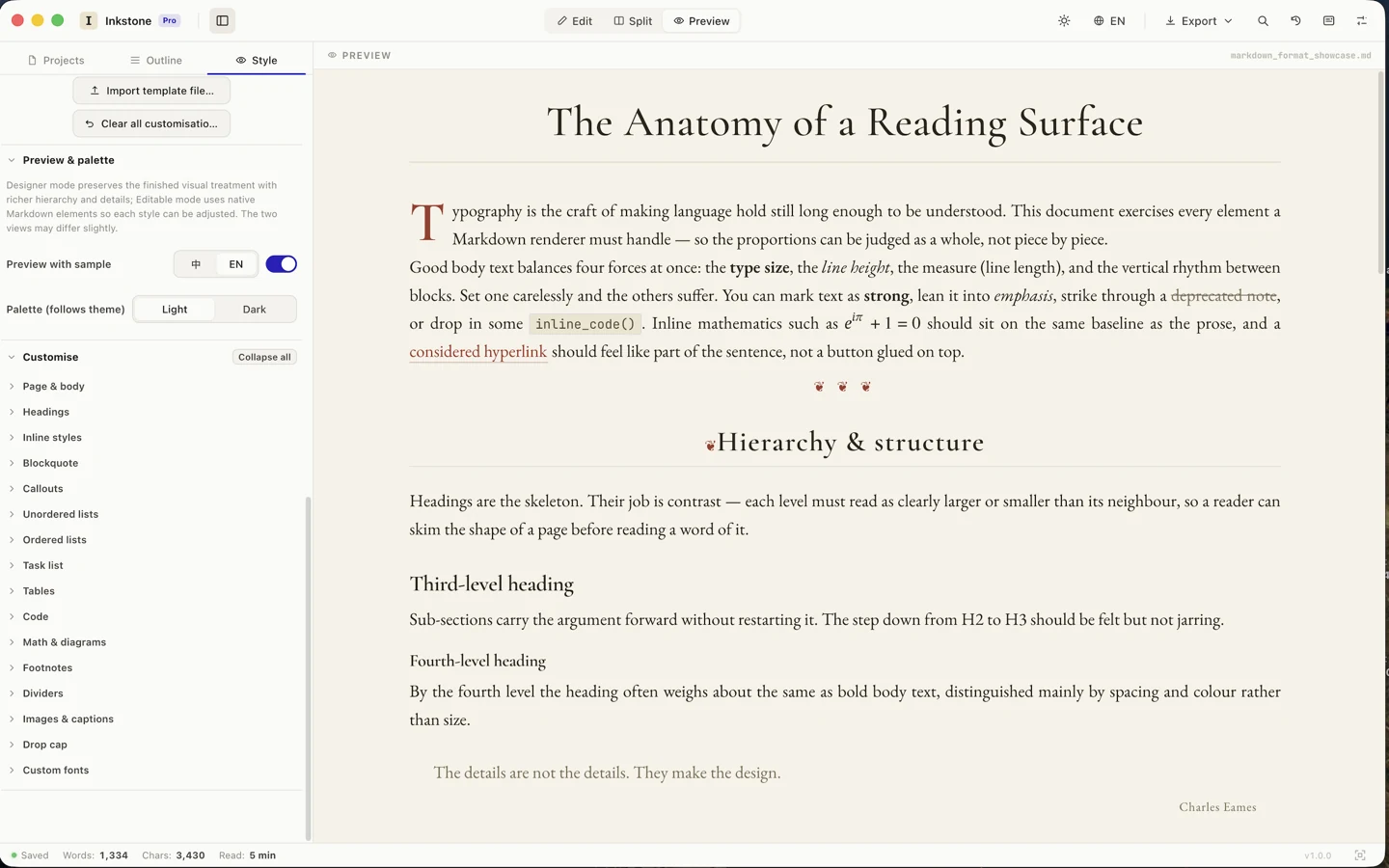
44 hand-tuned reading templates ship with Inkstone — magazine, book, newsprint, typewriter, terminal, and more. Six of them below, rendered live with their actual stylesheets: same text, very different pages.
Typography is the craft of making language hold still long enough to be understood.
You can mark text as strong, lean into emphasis, push both with bold italics, strike through a deprecated note, underline a key term, or drop in some inline_code(). Inline math such as sits on the baseline, and a considered hyperlink should feel like part of the sentence.
The details are not the details. They make the design.
Charles Eames
Headings are the skeleton. Their job is contrast — each level must read as clearly larger or smaller than its neighbour.
You can mark text as strong, lean into emphasis, push both with bold italics, strike through a deprecated note, underline a key term, or drop in some inline_code(). Inline math such as sits on the baseline, and a considered hyperlink should feel like part of the sentence.1
You can mark text as strong, lean into emphasis, push both with bold italics, strike through a deprecated note, underline a key term, or drop in some inline_code(). Inline math such as sits on the baseline, and a considered hyperlink should feel like part of the sentence.
| Element | Role |
|---|---|
| Type size | Sets the base unit |
| Measure | Controls line length |
| Rhythm | Spaces the blocks |
You can mark text as strong, lean into emphasis, push both with bold italics, strike through a deprecated note, underline a key term, or drop in some inline_code(). Inline math such as sits on the baseline, and a considered hyperlink should feel like part of the sentence.
Callouts keep asides close to the draft without breaking the flow.
inline_code()Move between writing and reviewing without changing apps.
You can mark text as strong, lean into emphasis, push both with bold italics, strike through a deprecated note, underline a key term, or drop in some inline_code(). Inline math such as sits on the baseline, and a considered hyperlink should feel like part of the sentence.
const document = {
              title: "Launch Notes",
              status: "Ready for review"
            };  // drafts stay plain text
The details are not the details. They make the design.
You can mark text as strong, lean into emphasis, push both with bold italics, strike through a deprecated note, underline a key term, or drop in some inline_code(). Inline math such as sits on the baseline, and a considered hyperlink should feel like part of the sentence.
News typography earns trust through restraint.
Start from a template, then adjust headings, lists, quotes, code, tables, footnotes, drop caps, and custom fonts in the style panel — with a live preview and light/dark palettes. Import and share template files.
Inkstone Pro is available now through two purchase channels: a direct prepaid license from Inkstone, or an Apple-managed subscription on the Mac App Store. Pick the channel that fits how you want to buy and manage updates.
One month of Inkstone Pro. Choose a direct prepaid license, or subscribe through the Mac App Store.
Six months of Inkstone Pro. Choose a direct prepaid license, or subscribe through the Mac App Store.
A full year of Inkstone Pro and the best value. Choose a direct prepaid license, or subscribe through the Mac App Store.
Choose the direct-download build for website licenses, or the Mac App Store build for Apple-managed subscriptions.
Install from the Mac App Store and subscribe with Apple in-app purchase. You can restore purchases from the subscription window inside Inkstone.
Purchase from the Inkstone website. After checkout, use the generated license code in the direct-download build.
This is for the direct version bought from the Inkstone website. It takes four steps from checkout to a fully activated app. (Mac App Store purchases activate automatically with your Apple ID — no code needed.)